About Rimva
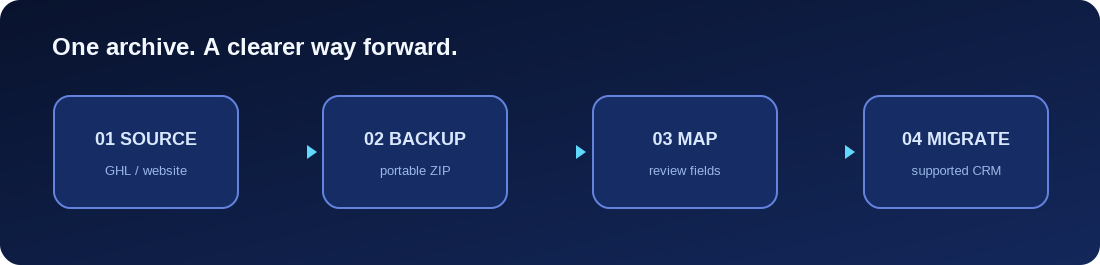
Rimva is a Chrome extension for exporting selected GoHighLevel account data, capturing published website content, opening compatible backup archives, preparing destination CRM packages and migrating supported records with user authorization. This policy covers the extension and its workflows. Third-party sites and services have their own policies.
Information we process
| Type | Examples |
|---|---|
| GoHighLevel source data | Selected contacts, messages, companies, deals, forms, workflows, sites, assets, configuration and financial/payment metadata where available and authorized. |
| Website content | Pages, URLs, rendered HTML and media/styles/scripts on user-selected published sites. |
| Archive uploads | User-supplied Rimva and supported legacy backup ZIPs and their metadata. |
| Connection data | Temporary destination API tokens/keys and permitted responses used to connect to your chosen CRM. |
| Local workflow information | Export options, per-site draft options, mappings, checkpoints, record IDs, logs and reports. |
How information is used
Data is processed to complete operations you initiate: exporting an archive, capturing a published website, validating a ZIP, preparing destination-ready CSVs, discovering destination fields, checking relationships, writing explicitly authorized CRM records and preparing results or coverage reports.
Website snapshots do not guarantee a native editable website-builder restore. CRM adapters vary by provider; some are beta or sample-only and full migration is not available for every destination.
Storage and retention
- Downloaded ZIPs and reports: saved to your device; not automatically deleted by Rimva.
- Source data caches, maps and checkpoints: can persist in local IndexedDB or browser extension storage until cleared.
- Destination credentials: handled in migration-tab memory in the reviewed v11.2.5 implementation and cleared when the tab closes/reloads; they are not intended to appear in exported ledgers.
- Site capture draft settings: stored per origin in browser session storage; may expire after 12 hours on subsequent access and clear when disabled or handed off.
Rimva does not provide a cloud backup account. Local cached data and downloaded archives are not encrypted by Rimva itself. Protect your device, browser profile, and files.
Network transfers and third parties
Exporting reads selected source data from GoHighLevel/LeadConnector. Published website capture loads pages and assets you selected; rendered temporary tabs can also make normal site network requests using browser context and cookies. Optional third-party asset access limits extension-managed downloads, not all browser requests made by the site itself.
When you authorize migration, selected records are sent directly from your browser to the destination CRM's API. The destination service may store those records under its own policies. Some provider APIs use a token in a request URL instead of headers. This implementation does not automatically upload archives or CRM credentials to TechSwype or the developer, and this static privacy page uses no analytics, third-party scripts or trackers.
Chrome permissions
- activeTab and scripting: read/capture the selected active tab and execute bundled page-capture functions after authorization.
- downloads: save requested ZIPs, logs and reports.
- storage: retain user selections, temporary sessions, source cache, mappings and checkpoints.
- cookies: detect permitted authenticated GoHighLevel/LeadConnector source sessions for export.
- GHL/LeadConnector hosts: required for authenticated source workflows.
- Optional HTTP/HTTPS site hosts: granted for chosen website and CRM origins; optional broader access for third-party website assets.
You can review or revoke granted site permissions through Chrome extension settings. Removing necessary permissions may disable the corresponding feature.
Security and limitations
Rimva validates compatible archives and uses explicit consent gates for CRM sample/full writes. Report and ledger generation is designed to exclude destination credentials; however, there is no guarantee that every user-entered source field is non-sensitive, and backups themselves are not automatically redacted. Neither downloaded files nor local caches are encrypted by Rimva.
Not every page/asset can be captured. Not every GHL field has a destination equivalent. Zoho's supported multi-object writer is Advanced Beta, and HubSpot, Pipedrive, Salesforce and Freshsales expose limited contact/person sample writers rather than full multi-object migration. Use test accounts and review mappings before production migration.
Your choices and deletion
You choose categories, websites, permissions, archive files, destination CRM and migration actions. The extension's Clear Local Data control clears selected migration caches, mappings, ledgers, checkpoints and queued job state. It does not delete already-downloaded ZIPs, records in a destination CRM, or all unrelated extension preferences. To remove migrated data, use the destination provider's controls. A completed migration cannot be assumed reversible.
Children's privacy
Rimva is intended for business website and CRM administration. It is not directed to children under 13.
Changes to this policy
This policy may be updated when extension behavior, data practices or legal requirements change. The effective date will be revised here. Material changes should also appear in extension and Chrome Web Store disclosures.
Contact and support
Rimva is built by Fahad Mumtaz and powered by TechSwype. For privacy questions or assistance, use the contact methods below. A dedicated support email may be added to the Chrome Web Store publisher profile.
Questions about backup processing, permissions, local data or CRM transfer?
TechSwype ↗Developer ↗